
How to Search Cases by Name
Catoosa County State and Superior Court cases have one free public entry point. It is the clerk-linked Tyler CM Web Search. When you know the person or business named in the case, pick Search by Party. Tyler asks for a party name. It also offers filters for court, division, filing date, and status. Start broad. Fill in too many fields at once and a middle name, suffix, odd punctuation, or a different spelling can bury a match that is really there.
- Open the official Tyler home page and accept its public-record notice.
- Select Search by Party and enter the last name or organization name.
- Add the first name, court, division, date range, or status only to narrow a large result set.
- Open the likely Catoosa County case and compare its number, court, filed date, and parties.
| Field Label | Type | Required | Notes |
|---|---|---|---|
| Party name | Text | Yes | Use the least text needed; spelling affects matches. |
| Court | Choice | No | ST means State Court; SU means Superior Court. |
| Division | Choice | No | Choose civil or criminal when known. |
| Filed dates | Date range | No | The range concerns filing, not every later event. |
Catoosa Case Associated-Party Search
Tyler also provides Search by Associated Party. It is a handy route when the name tied to the file is not the main party in the caption. The same filters apply: court, division, date, and status. Treat a hit here as a starting point and check it against the full case detail. The label only describes an index relationship. It says nothing about the person's role or how the case ended.
If both party searches come up empty, strip the optional filters and try a spelling variant. Then consider Magistrate, Probate, Juvenile, or a municipal court. Those records live outside the Tyler register. They never appear in a single Catoosa County search.
How to Search by Case Number
The case-number form splits a number into its year and its sequence. You need both. Court, division, case type, and status stay optional. Copy the segments printed on the notice or filing instead of guessing from a party name. A workable pattern is YEAR + SEQUENCE + ST/SU. No single display format covers every number, so keep leading zeros and punctuation, then drop the year and sequence into their named fields.
Catoosa Court Codes ST and SU
The court choice in a Catoosa County docket search matters more than it looks. Pick ST and you land in Catoosa County State Court, which handles misdemeanors, traffic, warrants, preliminary hearings, and civil matters outside Superior Court's grasp. Pick SU and you reach Catoosa County Superior Court, the Lookout Mountain Judicial Circuit's main court for felonies and major civil cases.
- ST
- Catoosa County State Court.
- SU
- Catoosa County Superior Court.
- Active
- A portal status, not a promise that a hearing is imminent.
- Inactive
- A status that may include a disposed file; check the docket entries.
Probate, Magistrate, Juvenile, Ringgold Municipal, and Fort Oglethorpe Municipal cases sit with different offices. No ST or SU selection can pull those separate court records.
What a Case Search Shows
A Catoosa County case result can show the court, division, case number, caption or style, parties, filed date, type, status, and a running list of docket events. Calendar samples add more. Judge or assignment codes, setting types, dates, and times may all appear. Keep one thing straight: the docket is only an index of activity. It never replaces the text of a filed order, motion, judgment, or exhibit.
| Case number | The court's file identifier and search key. |
|---|---|
| Style or parties | The caption and indexed participants. |
| Case type | The court and civil or criminal classification. |
| Filed date | When the case began, not the date of each event. |
| Status | Active or inactive as indexed; read events for context. |
Catoosa Docket Entries Need Context
Expect entries like filing, service, return, motion, order, setting, continuance, reset, disposition, and judgment. A setting puts an event on a calendar. It is not proof the event happened. A continuance moves an event. A disposition records how a charge or claim ended. A judgment is the court's formal decision or relief.
Read the entries in date order. A later order may have changed an earlier setting or ruling, so check. For the actual words of an order, request the document from the State/Superior Court Clerk. You can also use the authorized document route. The Catoosa County court record search covers that distinction in more depth.
Note: a blank document link does not mean no document exists. Public image access and the clerk's file are two different layers.
County vs Statewide Case Search
Georgia Courts E-Access works as a directory, not as one free statewide docket. Catoosa State and Superior users get pointed to PeachCourt, which requires an account. For those two Catoosa County courts, the free Tyler register is the practical first search. It sits on the clerk's site. PeachCourt also serves as Georgia's listed mandatory e-filing and court-document provider for them.
| Statewide Portal | Catoosa County Portal |
|---|---|
| Directory to participating providers | Catoosa State and Superior records |
| Routes Catoosa to account-gated PeachCourt | Free public Tyler search inspected |
| Best for finding the proper provider | Best for a known local party or number |
When Catoosa Search Results Fail
Start by clearing the optional date, division, type, and status filters. Try a shorter name. Then try common spelling variants. Next, confirm the court class. Magistrate civil claims, Probate matters, Juvenile cases, and city citations never turn into Tyler State/Superior records just because they arose in Catoosa County.
If the case truly belongs in State or Superior Court, call State/Superior Court Clerk Tracy Hullender Brown's office at 706-935-4231. You can also visit at 875 Lafayette Street, Ringgold, Georgia 30736. A written request should name the court, the case number if known, the parties, a date range, and the exact docket or filing sought. The county also offers an online open-records request route. Court records, though, belong with the judicial office that actually holds them.
No result can mean wrong spelling, wrong court, narrow filters, delayed indexing, or restricted access. It does not by itself prove that no case exists.
Restricted Cases and Access Rules
Georgia court rules shield a good deal from view. Sealed files, juvenile matters, and sensitive personal identifiers stay out of public inspection, whether by law or by order. A public calendar can list a hearing while the file itself stays closed. Keep this in mind with Tyler. A blank result may reflect indexing gaps or court coverage. On its own, it proves nothing about sealing or restriction.
Ask the responsible clerk instead. Three questions cover it: is the file restricted, is a redacted copy available, and what rule or order governs access. The Uniform Superior Court Rules speak directly to public access and sensitive data. Do not hunt for protected identifiers or republish them. Public and protected material can be mixed together in one record. Ask for the separable public portion.
Catoosa Search Interfaces in Practice
The Tyler CM Web Search home is the clerk-linked door into the free Catoosa County register of State and Superior Court cases.
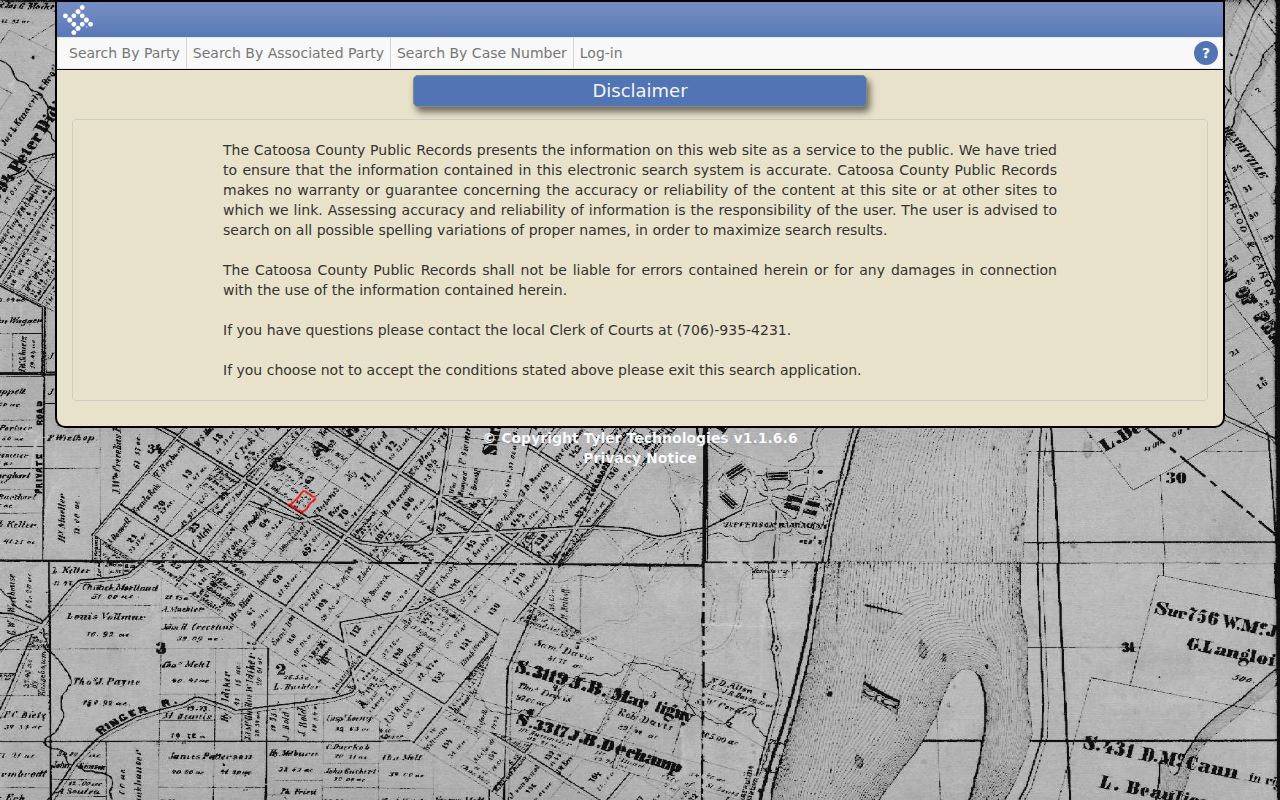
The home screen makes a distinction worth noticing: the local public index and the account-based document system are two separate layers of the Catoosa County court docket. The official Search by Party form carries the local name and its filter fields.
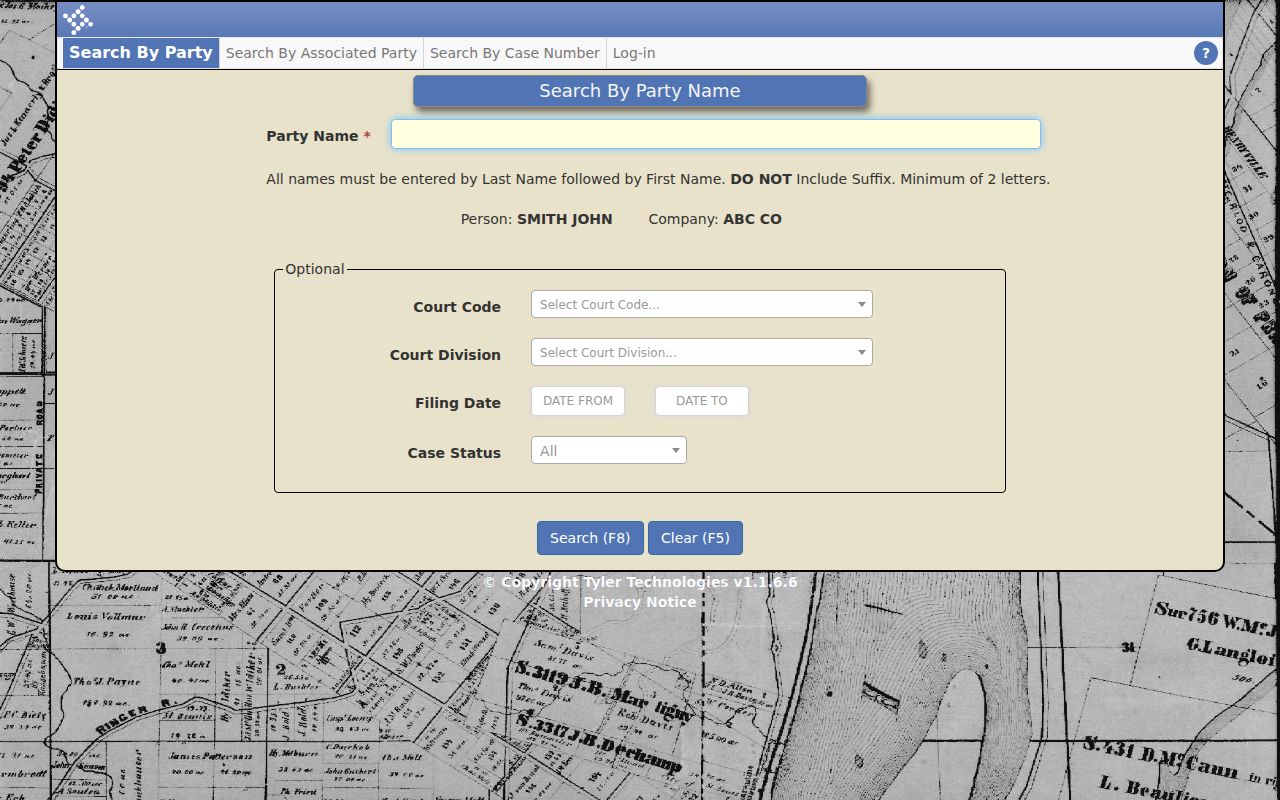
Start broad, then narrow. The form's court, division, date, and status controls make that workflow easy on a Catoosa County docket search. For a known number, the clerk's Search by Case Number form splits required year and sequence values from optional filters.
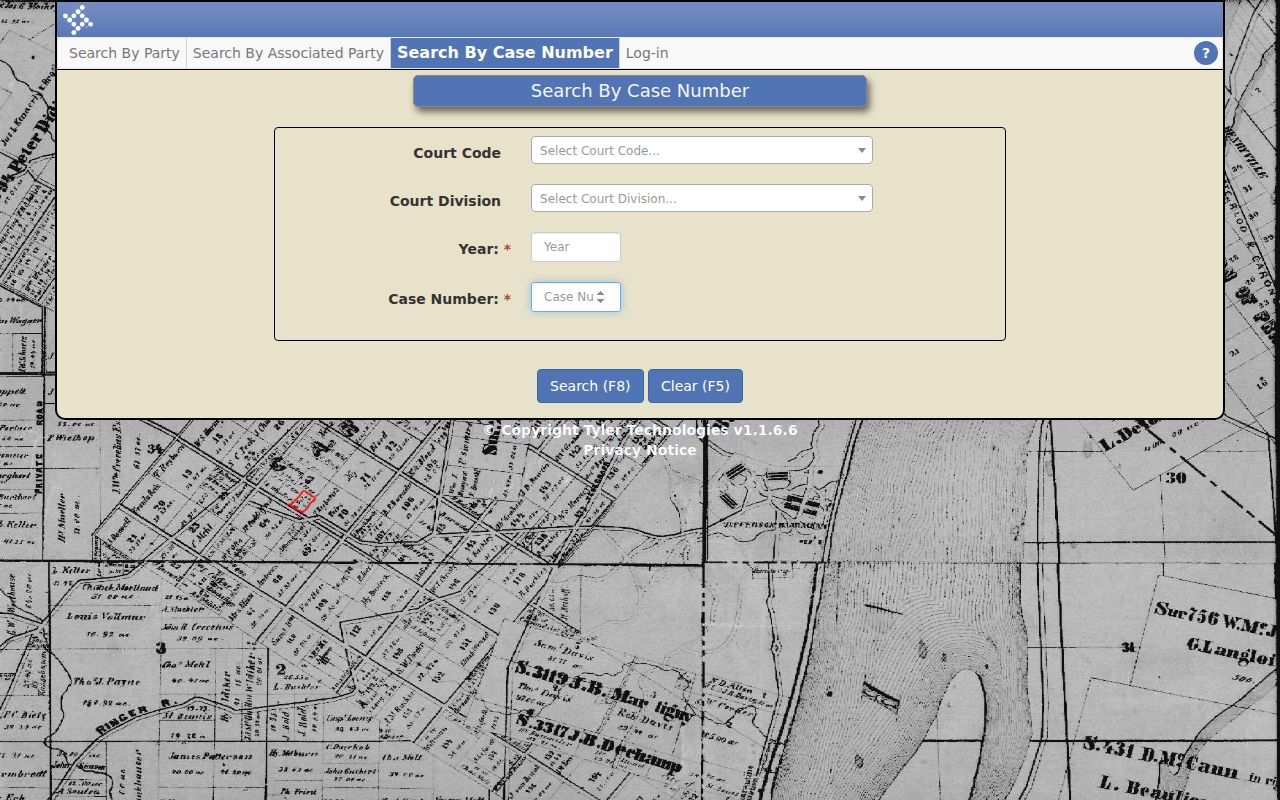
Follow the form's layout when you paste a number in. Split it only as the form directs, and pick ST or SU based on the court you know. Catoosa State and Superior Court filings and documents run through PeachCourt, Georgia's listed e-filing provider for the county.

The login screen tells you PeachCourt is a different animal from Tyler. One needs an account; the other is the no-login public register. For a federal matter tied to Catoosa County, PACER supplies the federal case locator and document system.
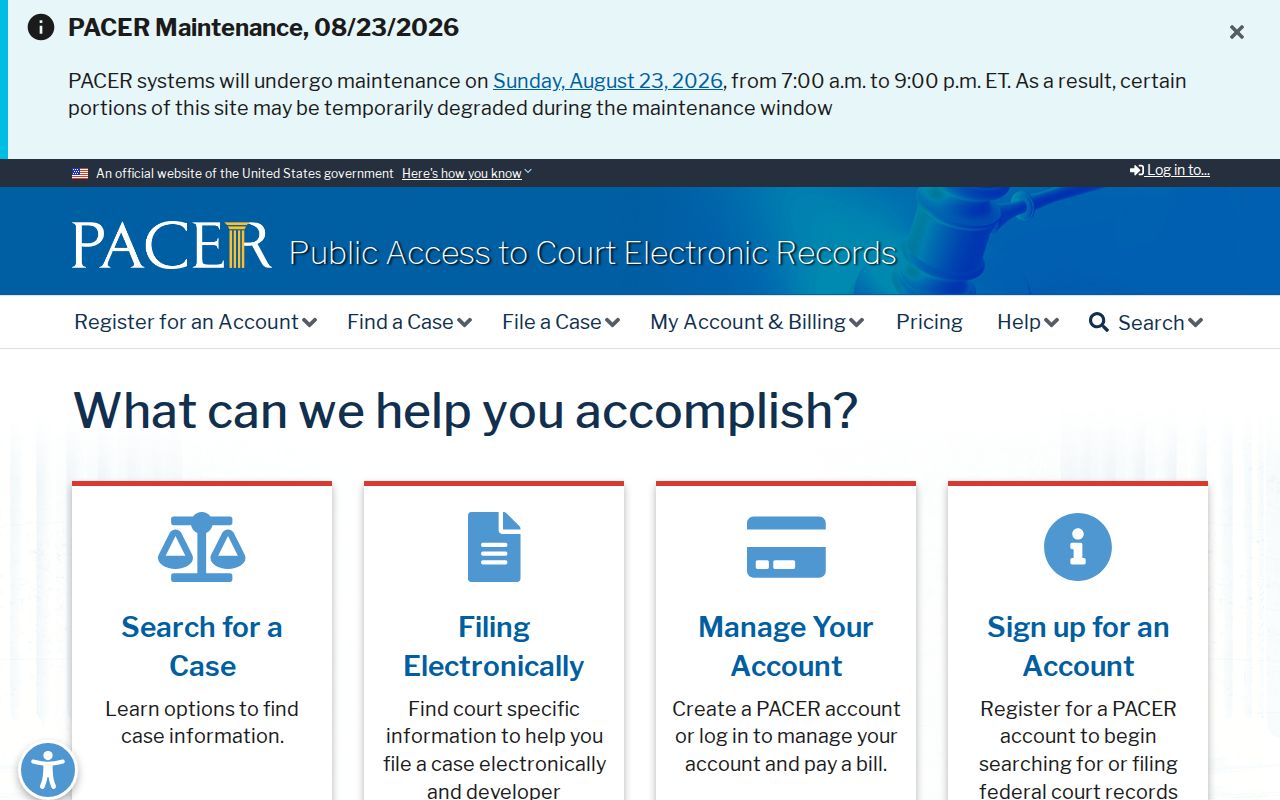
PACER sits at the federal layer, not the county one. Catoosa County falls under the Northern District of Georgia's Rome Division, so federal filings never surface in Tyler.