
Searching Catoosa County Civil Dockets
The clerk's Catoosa Tyler CM Web Search is the free public index for State and Superior civil files. Accept the public-record terms first. Then pick Search By Party, Search By Associated Party, or Search By Case Number. Select ST or SU and choose the civil division. A party name needs at least two letters. Optional filing dates or case status can narrow the results.
Case-number searching splits the number into a four-character year. The rest is a sequence of up to six characters. Enter both parts exactly as printed and pick the right court. When a broad name search stalls, clear the old filters and try spelling variants. The associated-party tool helps when a name is tied to a file but is not the principal party. The portal does not label every associated role.
- Identify the court from the notice, pleading, or case number.
- Search Tyler when the matter belongs to Catoosa State or Superior Court.
- Use the court's own office or portal for Magistrate or Probate matters.
- Open the register and distinguish filings, settings, orders, and disposition.
- Ask the custodian for the document when the index alone is not enough.
Choose the Catoosa Civil Court
Jurisdiction is the first routing tool for a Catoosa County civil docket. Catoosa Magistrate Court hears civil claims of $15,000 or less, along with garnishments, distress warrants, dispossessory writs, and other limited matters. State Court takes civil matters not reserved to Superior Court. Superior Court handles major civil cases. It also covers the subjects within its exclusive power, including divorce.
Probate Court keeps its own records. They cover estates, wills, guardianships, conservatorships, marriage licenses, and related proceedings. A city ordinance matter may sit in a municipal court. A federal question belongs in federal court. Treat the dollar amount or subject as a routing clue, not proof of where the file was entered. Confirm the court and case number before you search.
| Court | Civil work | Access route |
|---|---|---|
| Magistrate | Claims through $15,000, dispossessory and garnishment | Magistrate office and its linked e-filing service |
| State | Nonexclusive civil jurisdiction | Tyler index, clerk, and PeachCourt |
| Superior | Major civil and exclusive matters such as divorce | Tyler, LMJC, clerk, and PeachCourt |
| Probate | Estates, wills, and guardianship proceedings | Probate office and Georgia Probate Records |
Inside a Catoosa County Civil Docket
Read a civil docket as a chain, not a verdict. Start with the court and the case number. Then work down the entries. Note each filing or event date and the type of entry. Keep service, hearing dates, orders, and final disposition in separate mental boxes. A filed answer is not a ruling, and a pretrial date is not a judgment.
| Case identity | Court, division, filing year, sequence, and status. |
|---|---|
| Pleading | Complaint, petition, answer, counterclaim, or amended filing. |
| Motion | A request for court action, not the ruling on that request. |
| Service or notice | Public information about delivery or notice when available. |
| Setting | Pretrial, hearing, calendar call, or trial date. |
| Order or judgment | The court's written action or final disposition. |
Tyler's screen confirms the search layer only. It does not promise a complete document list, an image price, an export feature, or a historical cutoff. When the exact wording of a pleading or order matters, ask the clerk for the underlying paper.
Catoosa Magistrate Claims Stay Separate
Magistrate Court is not a division inside the State and Superior Tyler register. Its official page links a civil e-filing vendor for small claims, dispossessories, foreclosures, and garnishments. That destination opens with a disclaimer and a redirect. Check the live filing fields and current fees when you use it rather than guessing. Call the Magistrate Court at 706-935-3114 if an online search will not tell you whether a file exists or how copies are supplied. That office keeps its own case files. It is not the State and Superior clerk. The $15,000 ceiling on a claim helps you pick the court, but the docket still controls what was filed and how the case moved. The official-linked Magistrate civil e-filing route shows the separate filing page behind this Catoosa County civil docket stop.
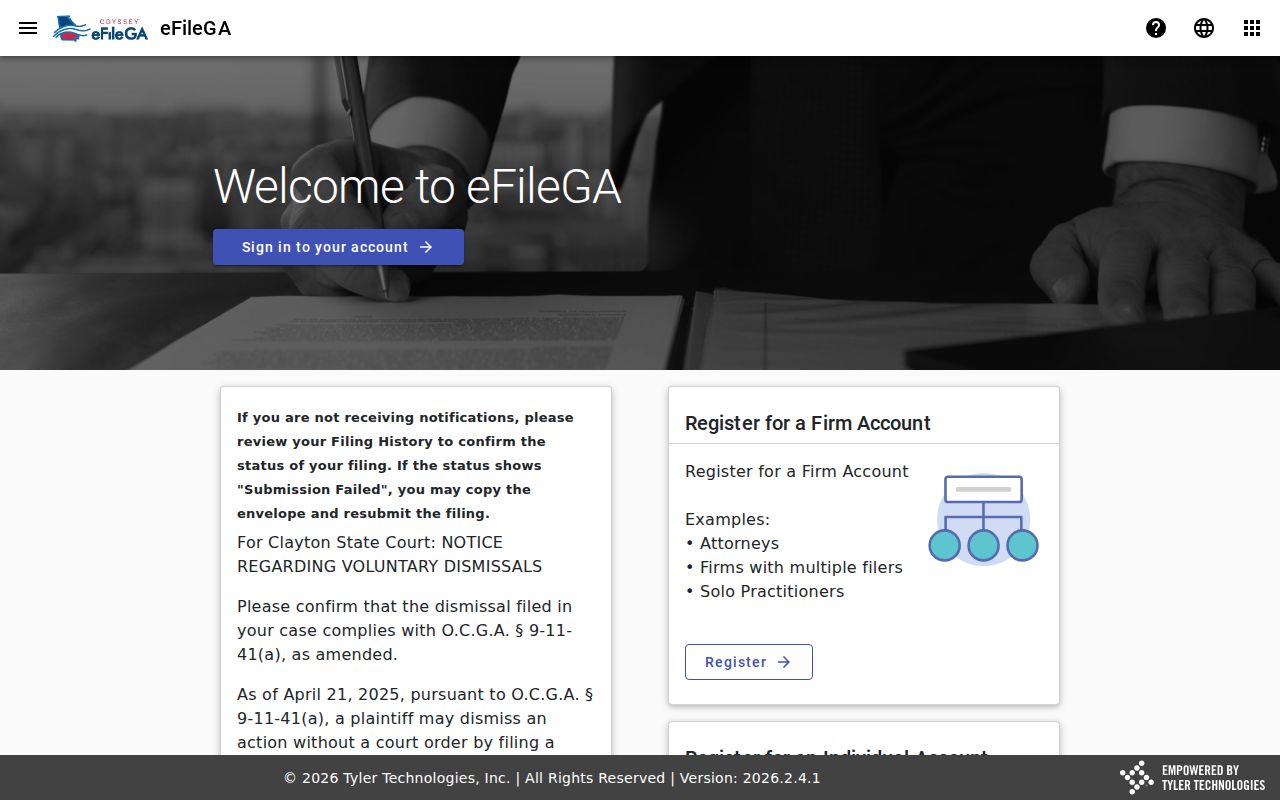
What that page shows is the separate lower-court filing path. Do not mistake it for the Tyler State and Superior index.
Civil Case Types on the Docket
Catoosa County civil records span several courts and subjects. Always read the docket classification alongside the court name. A contract or tort case may sit in State or Superior Court, while a smaller money claim, garnishment, or dispossessory may be in Magistrate Court. Divorce and the other matters reserved to Superior Court belong there. Estates and guardianships stay with Probate Court.
- Contract, debt, and other money claims.
- Property, tort, and personal-injury cases.
- Divorce, name change, and other Superior Court matters.
- Small claims, garnishments, and dispossessory actions.
- Estate and guardianship proceedings kept by Probate Court.
The LMJC pro se forms page collects forms for answers and counterclaims, contempt, name changes, service by publication, visitation modification, and divorce. A form title does not prove it fits a case. Filing one does not set an outcome.
Catoosa PeachCourt Document Route
Georgia Courts lists PeachCourt as the mandatory filing and court-document provider for Catoosa State and Superior Courts. PeachCourt shows account registration and email/password login controls. That is not the free anonymous Tyler index. Use Tyler to locate the docket, then turn to the clerk or the authorized document system for the filed item itself.
The gap matters when a docket line is brief. The index may say a motion or order was entered without giving its full terms. The document holds the actual language. A certified copy adds the clerk's authentication, so request one whenever that formal status is what you need.
- Pleading
- A complaint, petition, answer, or counterclaim stating a party's position.
- Motion
- A request asking the court to take a stated action.
- Order
- A written direction or ruling issued by the court.
- Judgment
- The court's formal determination of the claims or relief.
Catoosa Civil Docket Settings
Start with the circuit's own calendars. The Lookout Mountain Judicial Circuit posts Catoosa Superior civil trial and pretrial calendars. Anyone tracking a case can use them. A pretrial calendar line usually gives the court and date, the case number, the cause or matter heading, counsel fields, and the setting type. That is a snapshot. It is not a complete register of the civil docket.
Pretrial dates exist to manage a case before trial. One listed there does not mean any judgment was entered. Scheduling orders, continuances, later settings, and final orders can all change what happens next. The county calendar may be revised daily. An LMJC PDF only reflects the version published at that moment. Pull the newest calendar. Then confirm the setting with the responsible office. The LMJC circuit-calendar page can be compared with the county calendar. Only the court can excuse an appearance. When a date moves, record the later setting without guessing why the earlier one shifted.
Catoosa Probate Uses Another Path
Don't squeeze probate civil records into the State/Superior search. They live elsewhere. The Georgia Probate Records tiles include estates, recorded marriage licenses, wills, and guardianship petitions. Hearings and miscellaneous filings appear there too. What you can view depends on the county and the record type.
Catoosa's Probate Court cautions that online guardianships, death records, and traffic records are unavailable there. Traffic no longer belongs to Probate. Those cases moved to State Court. Call the Probate office instead. The number is 706-935-3511. That separate custody explains why a valid probate matter may return no Tyler result. Before a broad probate search, identify the kind of record and its likely date range. Ask whether certified or uncertified copies exist, and request an estimate before ordering many pages.
Civil Docket Settings and Hearings
Every setting line tells you the same basics. Expect a date, a time, a court, and an event type. Civil pretrial, motion, calendar call, and trial settings each serve different roles. Read the label exactly as written. A PDF that lists an event is not proof it occurred. A setting is never a finding.
Resets and continuances should surface through a later entry, an order, or an updated calendar. Catoosa sources publish no universal reset code and offer no automated alert guarantee. If a setting disappears or changes, check the newest docket. Then contact the clerk or counsel. Mail works for requesting a record. It is a risky way to confirm a time-sensitive hearing. For a full date-search walkthrough, see the Catoosa County court dates resource. The official calendar stays view-only and subject to change.
Catoosa Civil Docket Access Rules
Uniform Superior Court Rule 21 starts from openness. The public is presumed to have access. Law or a court order can still restrict a file. Sensitive identifiers and confidential family or juvenile information remain protected either way. A blank portal answer does not prove a file is sealed. First verify the court, division, spelling, dates, and status.
Costs come from state law. The Georgia Open Records Act guidance explains written requests, response timing, search costs, and copy costs. Search time is free for the first fifteen minutes. Standard pages may cost up to ten cents, and notice is required before work above $25 continues. Ask the court clerk which rule and fee govern a specific court record.
Request precisely: Give the court, case number, document title, filing date, date range, and desired format. Ask for the legal basis for any withheld part.
You have several ways in. Requests can begin online, at the proper clerk's counter, by phone to identify the file, or in writing to the office that holds it. No single public-terminal location or blanket image fee is set countywide. Confirm counter hours, payment methods, and certification before any visit or order.